
Upload Your Image
Upload or paste the image you want to turn into a bead pattern.
Turn any image into a custom design with our online bead pattern maker. Powered by AI simplification, manual fine-tuning, and one-click bead counting. Everything stays in the browser, so you can go from a rough idea to a finished piece faster, with less setup and fewer steps.
Using our perler bead pattern creator is simple from start to finish. Copy an image, paste it into the editor, and get a layout you can actually use. Even first-time users can follow along without guessing what to do next.
Upload or paste the image you want to turn into a bead pattern.
Open it in the browser and make quick adjustments to the grid or colors if needed.
Export the finished design and start building your project right away.
Use these baseline numbers to get a clean first draft. If your preview looks muddy, lower the similarity; if it loses too much detail, raise it. A good starting point makes fine-tuning much easier.
Faces need smooth color blending without losing details. Start with a medium-high similarity and slightly reduce it if facial features like eyes become blurry.
Game characters rely on sharp silhouettes. Keep the grid small and similarity moderate to maintain crisp outlines and avoid messy edges.
Words must have clear borders to be readable. Limit your color spread to stop the edges from looking fuzzy when you place the beads.
Nature photos have complex textures. A larger grid captures the broad view, while a higher similarity helps clean up noisy backgrounds like grass or skies.
Simple projects should use bigger color blocks and fewer overall shades. This reduces the time spent sorting beads and makes it easier for kids to finish.
Massive multi-board builds require strict bead management. Adjust the settings to control the variety of colors so your bead count stays within your budget.
Browse sample designs built with our perler pattern maker and use them as a starting point. If you do not want to begin from scratch, these real examples help you compare styles, get ideas faster, and move straight into making.

A cat is a good Perler bead theme when you want a small project with a clear shape and playful details. This free Cat Perler Bead Pattern gives you a simple chart to follow, but you can still customize the colors, adjust the size, or edit the design in Pixelbeads. Try a classic cat, a black cat, or a brighter style inspired by game and cartoon crafts. Before ironing, make sure the ears, eyes, and tail are easy to read so the final piece keeps its cat shape cleanly as a small craft.
View Pattern
Small butterfly crafts are useful because they feel decorative without needing a large bead board. This butterfly Perler bead pattern gives you a free starting chart for gift tags, magnets, keychains, garlands, or nature-themed projects. You can follow the design as-is, then use Pixelbeads to resize the canvas, adjust similarity, or edit the wing markings. If the pattern feels too detailed, reduce tiny spots first and keep the outer wing silhouette strong so the butterfly is easy to recognize.
View Pattern
Super Mario designs work well for game-themed bead crafts because the character is easy to recognize from a clear outline, bright colors, and simple details. This free Super Mario Perler Bead Pattern gives beginners a chart to follow while still leaving room to adjust the size, refine the face, or change the red and blue shades. It can work for keychains, magnets, gifts, or room decor. Before ironing, check the cap, face, and outline so the finished design stays readable and neat.
View Pattern
Use this Christmas tree Perler bead pattern when you want a holiday craft that is easy to reuse for decor, gift tags, cards, or small ornaments. The chart gives beginners a steady base, and you can still customize the colors, make the tree taller, or edit the ornament placement in Pixelbeads. If you want a simpler project, choose fewer color details. If you want more sparkle, use a larger canvas and keep the star, trunk, and branches easy to read before ironing on the pegboard.
View Pattern
For a kawaii craft, Hello Kitty needs readable proportions more than lots of detail. This Hello Kitty perler bead pattern gives you a simple base for the round face, ears, bow, eyes, and whiskers, then leaves space to change colors or scale the design in Pixelbeads. A smaller version works well for cards or charms, while a larger chart gives the bow and face more breathing room. Check the whisker spacing before ironing so the expression stays gentle and clear on the finished bead piece.
View Pattern
For movie and pop culture crafts, Harry Potter designs need clear symbols more than complex scenes. These Harry Potter perler bead patterns give you small chart ideas for wizard glasses, house-color scarves, wands, books, or simple character-inspired icons. Pixelbeads can help you adjust the canvas size, simplify color areas, and export a PNG when the layout feels clean. If a design gets crowded, remove background details before placing beads, especially on mini patterns or gift crafts.
View Pattern
Miku bead crafts work best when teal twin tails, face shape, headset, and outfit colors stay readable at pixel size. This free Hastune Miku Perler bead pattern gives you an anime-style chart for charms, magnets, cards, desk decor, or fan gifts. In Pixelbeads, you can resize the canvas, adjust the teal hair shades, or edit the face and outfit before export. Keep the twin tails long enough, separate the hair from the face, and check the headset details before ironing so the piece stays clear.
View Pattern
This panda Perler bead pattern is useful for small crafts because the main features are bold: round ears, dark eye patches, a pale face, and simple paws. Follow the chart as a classic black-and-white panda or open it in Pixelbeads to try red panda colors, resize the canvas, and refine the outline. If you want an easier project, keep the body shape simple and avoid tiny shading. For more detail, use a larger grid and make sure the eyes, ears, and muzzle have enough clear space.
View PatternWhether you are a parent preparing a quick weekend craft or a fan artist needing precise color matching, our browser-based generator gives you total control over the final result without the complex learning curve.
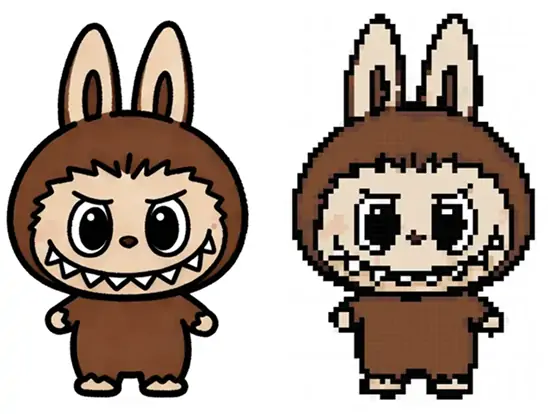
Upload your JPG or PNG files, and our algorithm handles the rest. It smartly groups dominant colors and prevents messy dark edges, turning complex photos into clear, buildable layouts instantly.
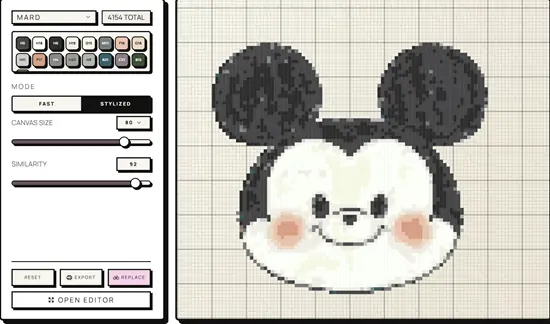
You do not always need to buy new supplies. Set the generator to only use the specific bead colors you already have at home, making your projects much more budget-friendly.
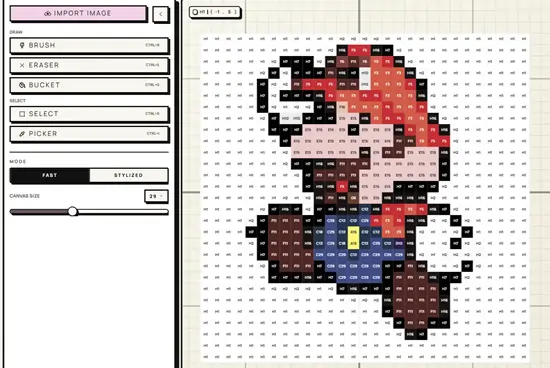
Perfect your design right in the browser. You can click to change, add, or remove individual beads to fix small facial features or outlines, with easy undo and redo functions to prevent mistakes.
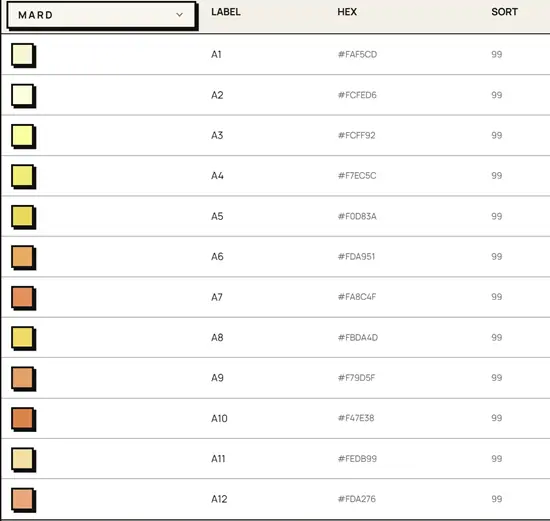
Never run out of beads mid-project. Get a detailed breakdown of the exact number of beads you need, matched with professional color codes, so you can organize your inventory before you begin.
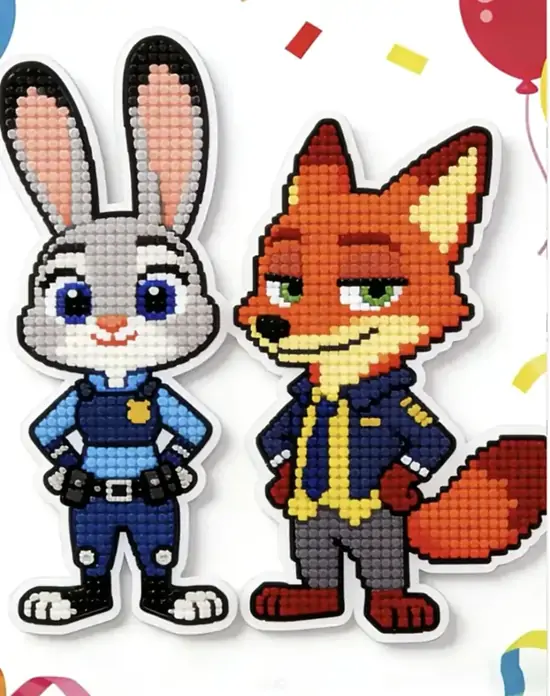
Export your finished work as a high-resolution file. You can easily print these templates at their actual size and place them directly under your clear pegboards for fast, error-free building.
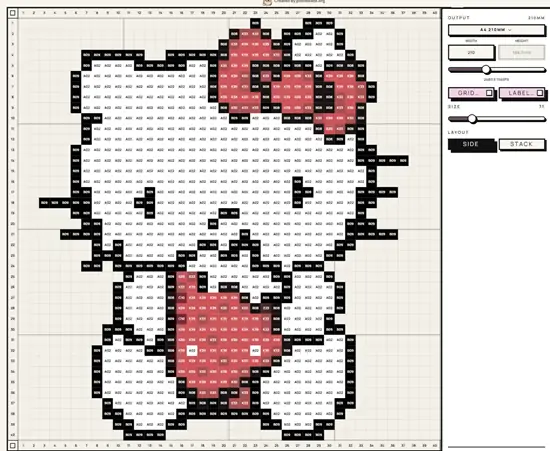
Experiment with how your final piece will look. Quickly adjust the grid width to generate different versions of your image-from a small, minimalist keychain to a large, highly detailed portrait.
Discover different ways to use your finished designs. Whether you are crafting a quick weekend project or a personalized gift, here is how you can bring your pixel art into the real world.
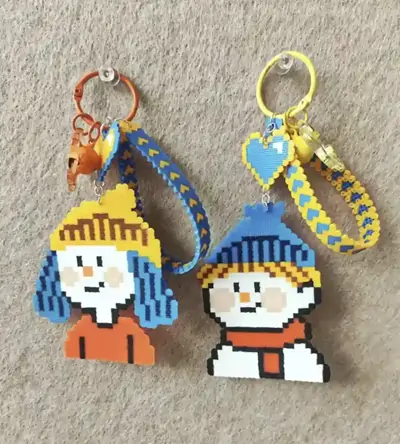
Turn small game characters or pixel art into pocket-sized accessories for your keys or backpacks.
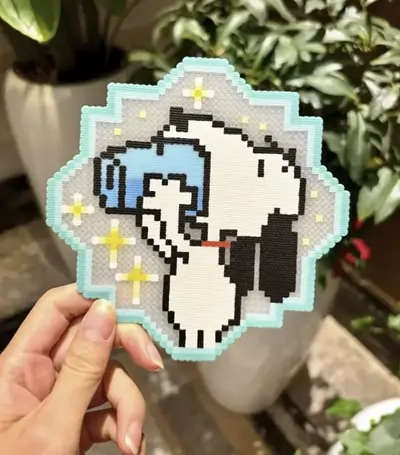
Design flat, durable squares or circles with fun geometric shapes to protect your desk and tables.
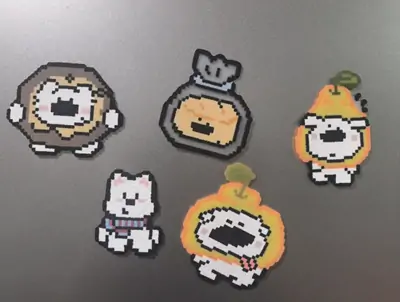
Add a small magnet to the back of your finished beads to hold notes or simply decorate your kitchen.
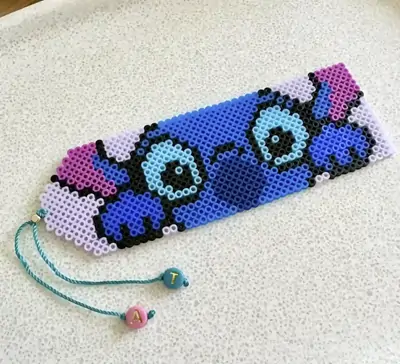
Create thin, long bead patterns that sit perfectly between the pages without damaging your favorite books.
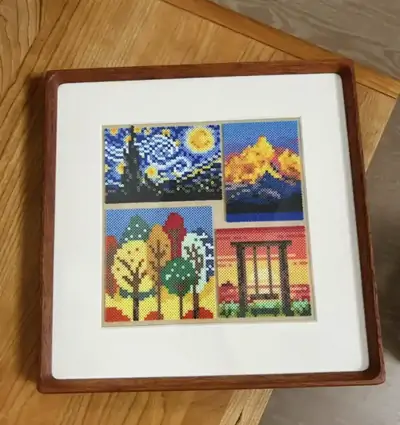
Build larger, more detailed portraits or landscapes to frame and hang on your bedroom wall.
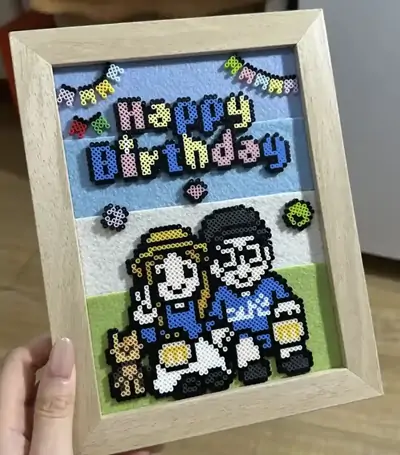
Craft personalized items based on a friend's favorite show or pet to give them a truly unique present.
Sarah
Fan Artist
"I used to spend hours graphing out 8-bit sprites on paper. Now I just paste a screenshot, and the AI simplifies it enough for me to fix the edges in minutes."
Mark
Parent
"Finding designs that aren't too complex for a 7-year-old was hard. This tool lets us upload simple coloring pages, and we see exactly how many beads we need before we run out."
Emily
Hobbyist
"I always messed up the colors when trying to copy photos by eye. The browser editor is so straightforward, and the one-click bead counting saves me from buying the wrong bags."
Leo
Cosplay Prop Maker
"Other perler bead pattern creators I tried were confusing with way too many settings. I like that I can just drag a picture in, get a pattern, and start building right away."
Jessica
Mother of two
"My kids constantly ask for specific cartoon characters that don't have official patterns. We use this to make our own bead patterns from Google images. It is super fast."
David
Beginner
"I just started doing fuse beads and got overwhelmed. Having ready-to-use patterns as a starting point helped me understand how shading works before I tried making my own."
Stop fighting with confusing grid paper or heavy software. Paste an image into the browser, get your clear pattern, and spend your time actually building.